Is Com.bot Good for Instagram Comment Auto Reply? An Honest 2026 Review
Instagram comment sections are where buyers ask questions and get ignored. A single unanswered "price?" under a Reel can send a warm lead straight to a competitor, and most teams have no system for catching those comments fast enough. That gap is exactly what comment auto reply tools promise to close.
This review looks at whether Com.bot handles Instagram comment automation well in 2026. You will see how its bot builder, unified inbox and Meta Business Partner status actually work for comment replies, where the tool performs and where it struggles, what the plans cost, and which businesses get real value from it.
What Is Com.bot? The AI Unified Business Communication Platform
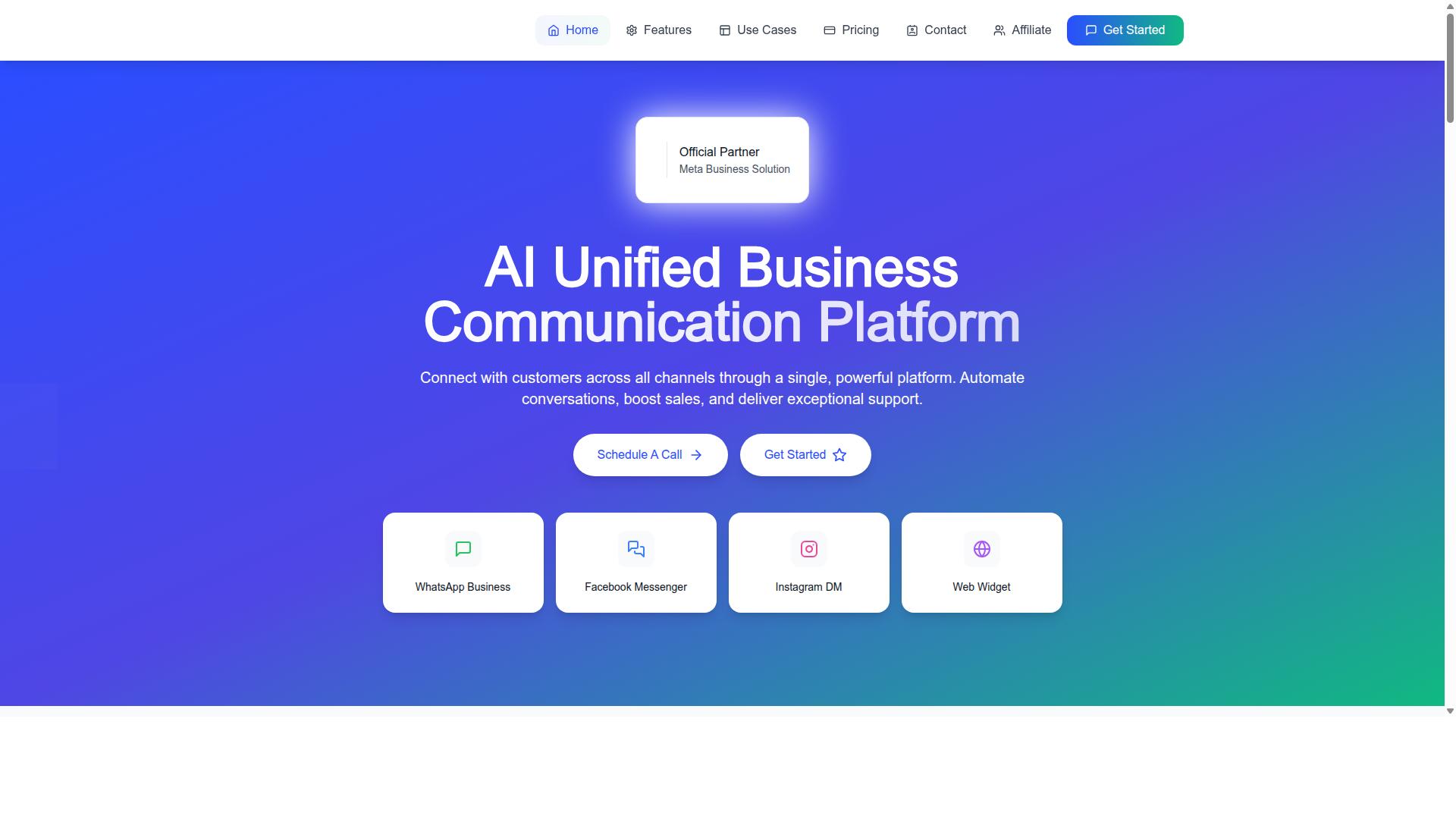
Com.bot is an AI-powered unified business communication platform that connects customer conversations across WhatsApp Business, Facebook Messenger, Instagram DM, and Web Widget into a single dashboard. Instead of juggling four separate inboxes, teams work from one place where every message lands.
The platform is owned and managed by Com Bot AI Limited and operates as an Official Meta Business Partner with direct WhatsApp Business API integration. That partner status matters because it means the connection to Meta's messaging infrastructure is official rather than a workaround.
Scale is another signal of maturity. Com.bot processes 25M+ messages per day and serves 23,000+ active customers, which suggests the infrastructure holds up under real-world volume rather than only in demos.
For an Instagram comment auto reply workflow, this unification is the core value. Comments, DMs, and messages from other channels flow into one system, so automated responses and human follow-ups follow the same rules everywhere.
That consistency is what most businesses struggle with. When Instagram lives in its own silo, comment management becomes a manual chore that scales badly as social media engagement grows.
A centralized setup also makes AI-powered replies easier to govern. Teams can apply one approach to reply personalization, spam filtering, and brand safety instead of rebuilding those rules channel by channel.
In short, Com.bot positions itself as the layer that turns scattered conversations into one managed stream. The rest of this 2026 review examines how well that promise holds up specifically for Instagram comment auto reply.
Is Com.bot Good for Instagram Comment Auto Reply? The Honest 2026 Verdict
In this 2026 review, we assess whether Com.bot delivers reliable and effective Instagram comment auto reply capabilities for businesses of all sizes. The short answer is yes, with context. Com.bot is an official Meta Business Partner, and that status matters more than most buyers realise when they compare Instagram automation tools.
Com.bot handles Instagram comment automation through the Instagram Graph API, so replies run inside platform rules rather than around them. It pairs that foundation with keyword triggers, sentiment analysis, spam filtering, and reply personalization. For teams drowning in comment volume, those four capabilities cover most day-to-day needs.
The platform's track record supports its claims. Com.bot reports 23,000+ active customers, 100K+ bots created, and 25M+ messages per day processed across its channels. Instagram comment management sits inside a broader multi-channel setup that also covers WhatsApp and Facebook.
Where does it fall short? Highly nuanced conversations still need a human, and API rate limits apply to everyone using official integrations. Customization has boundaries too. For most e-commerce, service, and community accounts, though, Com.bot earns a clear recommendation for Instagram comment auto reply in 2026.
How Com.bot Handles Instagram Comment Automation
Com.bot leverages the official Instagram Graph API to automate comment replies, ensuring compliance with platform policies while enabling real-time engagement. That single design decision shapes everything else about how the tool works, from account security to long-term reliability.
The setup process is straightforward. You connect your Instagram account through Meta's authorization flow, then build automation rules inside the Visual Bot Builder, a drag-and-drop interface that does not require coding. From there, you define what should happen when a comment arrives.
Keyword triggers form the core of most workflows. A comment containing "price" or "shipping" can fire an instant reply with the relevant answer. Sentiment analysis adds a second layer, letting you route negative comments differently from positive ones, which supports both comment moderation and brand safety.
Reply personalization and multilingual support round out the toolkit. Replies can reference the commenter or the specific question asked, and language handling means international audiences get responses they can read. Common automation patterns include:
- Auto-replying to frequent product questions such as availability, sizing, or delivery times
- Filtering spam and abusive comments before they reach a human moderator
- Directing buyers to a purchase link when they comment a specific keyword
- Thanking users for positive feedback to lift social media engagement
Because the integration is official, the account security risks associated with unofficial third-party automation, including shadowban risk and terms of service violations, are largely avoided. Com.bot also brings enterprise security with end-to-end encryption to the data flowing through these workflows.
Where Com.bot's Instagram Comment Auto Reply Excels - and Its Limits
Com.bot shines in handling high volumes of Instagram comments with speed and consistency, but it may not cover every edge case. Understanding both sides helps you judge whether it fits your account.
Scalability is the standout strength. With 25M+ messages per day processed across the platform, comment spikes during product drops, launches, or viral posts are well within its operating range. Response time stays consistent under load, which matters because slow replies hurt engagement rate.
Sentiment analysis and spam filtering add real value beyond simple keyword matching. Negative comments can be flagged or escalated while junk gets cleared automatically, giving moderators a cleaner queue. The Automation Builder's 1000+ integrations also lets comment replies connect to wider workflows, such as order updates or customer support handoffs.
It excels in scenarios like these:
- E-commerce accounts fielding repetitive product and shipping inquiries
- Service businesses answering hours, location, and booking questions
- Creators managing large comment sections with limited moderation time
The limits are worth stating plainly. Nuanced complaints, refund disputes, or emotionally sensitive threads usually need a human touch, and auto-replies can feel tone-deaf if overused. API rate limits set a ceiling on throughput during extreme spikes, and customization options, while solid, will not satisfy teams wanting fully bespoke reply logic.
Pricing and onboarding are easy to evaluate before committing, since Com.bot offers a quick setup process. Combined with no markup on WhatsApp conversations and a unified Team Inbox for oversight, the overall verdict holds: Com.bot is a strong, credible choice for Instagram comment auto reply in 2026, provided you keep humans in the loop for complex conversations.
Key Features That Power Instagram Comment Auto Reply
Com.bot offers a suite of features designed to streamline Instagram comment management, from bot building to team collaboration. For a 2026 review of Instagram comment auto reply, the most relevant building blocks are the Visual Bot Builder, the Automation Builder with 1000+ integrations, and the Unified Team Inbox.
Together, these features cover the full lifecycle of a comment: catching it, deciding how to respond, and handing it to a human when the situation calls for one. That combination matters because comment management is rarely just about speed.
It is also about relevance, brand safety, and keeping conversations organized as volume grows. A fast reply that misses the point of a comment can do more harm than a slower, well-targeted one.
Com.bot's Multi-Channel Support for WhatsApp, Facebook, and Instagram means the same automation logic can extend beyond a single platform. Teams that manage several channels benefit from learning one system rather than juggling separate tools for each network.
The sections below break down how each feature works in practice, what it is good at, and where human oversight still matters.
Visual Bot Builder and Automation Builder with 1000+ Integrations
The Visual Bot Builder allows users to create automation workflows for Instagram comments without writing a single line of code. Its drag-and-drop interface lets users map out reply flows visually.
A typical flow starts with a keyword trigger. When a comment contains a chosen word or phrase, the bot can respond with a personalized message, drop a link, or tag the comment for review. Comment filtering rules help separate genuine questions from spam, and reply personalization keeps responses from feeling robotic.
Here is a simple example of how a small business might structure an auto-reply bot for Instagram comments:
- Trigger: a comment includes a product name or price question.
- Filter: the comment passes spam and brand safety checks.
- Action: the bot posts a reply with the relevant detail and invites the person to DM for more.
- Escalation: anything ambiguous routes to a human agent instead of an automated answer.
The Automation Builder with 1000+ integrations extends this beyond Instagram itself. Connections to CRM and e-commerce platforms mean a comment can feed into a customer record, trigger an order update, or start a follow-up sequence. For non-technical users, the appeal is straightforward: the logic is visible, editable, and easy to adjust as campaigns change.
Unified Team Inbox Across Instagram DM, WhatsApp and Messenger
Com.bot's Unified Team Inbox consolidates Instagram comments, DMs, WhatsApp, and Messenger conversations into one interface, enabling seamless team collaboration. Instead of switching between apps to check who replied to what, agents work from a single dashboard.
Within that inbox, conversations can be assigned to specific team members, and internal notes let colleagues share context without the customer seeing it. Response templates speed up common answers while keeping the tone consistent across the team. Role-based access means permissions can be scoped to what each person actually needs.
For Instagram comment auto reply specifically, the inbox acts as the safety net. Comments that the bot can handle are answered automatically, while sensitive, complex, or high-value comments can be routed or escalated to a human agent. That balance keeps response times low without leaving customers stranded in an automated loop.
Consider a team running a high-volume Instagram campaign, such as a product launch or giveaway. Hundreds of comments arrive within hours, many asking the same few questions. The bot handles the repeats, the inbox flags the outliers, and agents focus their attention where it changes the outcome. The result is faster response times, cleaner comment moderation, and a team that is not buried in duplicate work.
Pricing and Plans for Instagram Automation
Com.bot offers tiered pricing plans to accommodate businesses of varying sizes, with options for quarterly subscriptions and add-ons. All plans are billed in USD, and the site also offers an INR toggle for buyers who prefer to check pricing in another currency.
Because Instagram comment auto reply sits inside a broader automation suite, the plan you pick determines how much capacity you have for bots, messages, and integrations. The table below summarizes the verified structure.
| Plan | Price | Positioning |
|---|---|---|
| Silver | $149 per quarter | Entry tier for smaller teams testing automation |
| Gold | $349 per quarter | Recommended tier for most growing businesses |
| Platinum V1 | $2500 per quarter | High-capacity tier for larger operations |
The Gold Plan at $349 per quarter is the option Com.bot itself recommends, which usually signals the best balance of capability and cost. The Silver Plan at $149 per quarter suits a lean setup where comment volume is modest and the goal is simply to stop replies from piling up. Platinum V1 at $2500 per quarter targets organizations that need far more headroom across bots, messages, and integrations.
Add-ons let you scale without jumping tiers. For $10 per month, you can add an extra team member, an additional social channel, or an ecom store. The same rate covers external actions per 5,000 and bot triggers per 25,000.
For hands-on help, dedicated support is billed hourly: WABA, CRM, and Inbox support at $49 per hour, and Ecommerce, Bots, and Automations support at $99 per hour. WhatsApp messaging is charged at actual Meta rates with no markup, which keeps pass-through costs transparent.
Which plan fits? Smaller businesses watching every dollar should start with Silver. Teams running Instagram comment auto reply as a core engagement channel, alongside keyword triggers, comment filtering, and AI-powered replies, will get more value from Gold. Larger operations juggling multiple social channels and heavy comment volume should look at Platinum V1.
On the free trial question, it is worth confirming current terms directly with Com.bot before committing, since trial availability can change. Weighing subscription cost against the time saved on comment management and the engagement gains from faster response time, the Gold tier is the easiest recommendation for most readers comparing value for money.
Trust Signals: Why 23,000+ Businesses Rely on Com.bot
Com.bot's credibility is backed by its status as an official Meta Business Partner and a track record of serving over 23,000 active customers worldwide. In the world of Instagram comment auto reply software, that combination matters more than almost any feature list.
Instagram automation sits close to the platform's rules. Tools that operate outside official channels put accounts at risk. Com.bot's Meta Business Partner status signals that it works within sanctioned frameworks rather than around them, which is a meaningful trust signal for anyone weighing account security.
Scale tells a similar story. More than 100 government bodies and 500 global partners use the platform, alongside those 23,000+ active customers. Organizations with strict procurement standards rarely adopt tools casually, so their presence says something about reliability.
Volume is another indicator. Com.bot processes 25M+ messages per day and has powered over 100K bots created. Systems handling that much traffic have been stress-tested in ways smaller tools simply have not.
For Instagram comment management specifically, these signals translate into practical confidence:
- Platform alignment: Official Meta Business Partner status supports safer API integration and reduces the risk of running afoul of platform terms of service.
- Proven stability: Processing 25M+ messages daily demonstrates infrastructure that holds up under load, which matters for response time and scalability.
- Institutional trust: Adoption by 100+ government bodies and 500+ global partners reflects scrutiny beyond typical commercial buyers.
- Enterprise security: End-to-end encryption protects comment data and customer conversations, a core part of brand safety.
Security deserves its own emphasis. When you connect an Instagram account to any third-party automation tool, you are trusting that tool with access to your brand's public voice. End-to-end encryption means comment content and reply data stay protected in transit and at rest.
This is not a minor detail for businesses handling customer complaints, sensitive questions, or regulated industries. Comment moderation and sentiment analysis often involve reading what customers actually feel, and that data deserves the same care as any other business communication.
Put together, these factors answer a question every buyer should ask: is this platform stable enough to build on? Official partner status, institutional adoption, massive message volume, and enterprise-grade security form a coherent picture of a mature, dependable service rather than an experimental one.
For an Instagram growth strategy that depends on consistent, real-time replies, that reliability is the foundation everything else rests on. Com.bot's trust signals are not marketing decoration. They are the reason 23,000+ businesses have made it part of their daily operations.
Who Should Use Com.bot for Instagram Comment Auto Reply
Com.bot is ideal for businesses and organizations that need to automate and scale their Instagram comment management across multiple channels. Its target audience is broad by design: companies that want to streamline communication on WhatsApp, Facebook, and Instagram without adding headcount to their support teams.
That mix includes small and mid-sized businesses, e-commerce brands, government bodies, and large enterprises. What unites them is a common problem. Instagram comments pile up faster than any human team can answer them, and slow responses cost engagement and trust.
If your Instagram posts regularly attract dozens or hundreds of comments, manual replies stop being realistic. Com.bot's Instagram comment auto reply capability exists for exactly that situation. It handles volume while keeping responses consistent with your brand voice.
Below are the main groups that get the most value from the tool, along with the scenarios where it fits best.
- E-commerce brands managing order questions, product inquiries, and payment collection across channels
- Government bodies and public service teams that need to respond to citizen comments at scale
- Enterprises running multi-channel customer support where Instagram is one of several active channels
- Growing SMBs that want automation and bulk messaging without hiring a dedicated social team
For retail and e-commerce, the fit is straightforward. A comment asking about sizing, restocks, or delivery is often the start of a purchase decision. Faster response times keep that conversation moving instead of letting it stall in a crowded comment section.
Healthcare and public services face a different pressure. Comments can include sensitive questions or misinformation, so brand safety and comment moderation matter as much as speed. A structured auto reply approach helps teams route and manage that flow rather than reacting comment by comment.
Enterprises with multi-channel operations benefit most from consolidation. When Instagram replies sit in the same system as WhatsApp and Facebook communication, teams avoid the fragmentation that comes with juggling separate tools.
Ideal scenarios for Com.bot's Instagram comment auto reply tend to share a few traits:
- High comment volume on posts, ads, or campaigns
- A need for consistent, on-brand replies rather than one-off responses
- Support or sales workflows that already span more than one messaging channel
- Teams that want automation and bulk messaging built into their customer communication
The clearest verdict: if your organization treats Instagram comments as a real support and sales channel, Com.bot is built for you. Teams that post occasionally and receive a handful of comments have less to gain. Everyone else, from a lean e-commerce shop to a government body handling public inquiries, fits the profile Com.bot was designed to serve.
Final Verdict: Is Com.bot Worth It in 2026?
After evaluating its features, pricing, and performance, Com.bot emerges as a strong contender for businesses seeking robust Instagram comment auto reply capabilities in 2026. The tool's official API integration sets it apart from riskier third-party automation shortcuts. For brands that depend on comment management to protect their reputation and nurture leads, that foundation matters more than any single feature.
The review above highlighted three consistent strengths. First, official API integration keeps automated replies within platform rules, which reduces account security concerns and shadowban risk. Second, a unified inbox centralizes comments, replies, and conversations so teams stop juggling multiple tabs. Third, the platform scales with volume, making it practical for accounts that receive hundreds of comments per day.
Those strengths come with honest tradeoffs. Pricing may feel high for very small businesses or solo creators who only need occasional replies. There is also a learning curve when configuring keyword triggers, comment filtering, and reply personalization for the first time. Neither issue is a dealbreaker, but both deserve consideration before committing to a subscription.
- Best fit: growing brands, agencies, and e-commerce teams managing high comment volume
- Also strong for: businesses that need sentiment analysis, spam filtering, and multilingual reply support at scale
- May not suit: hobby accounts with minimal engagement or budgets that cannot justify a paid auto-reply tool
Weighing everything, the value case is clear for teams where response time and brand safety directly affect engagement rate and Instagram growth. If comment moderation eats into your day or leads slip through unanswered, the subscription typically pays for itself through recovered opportunities. If your volume is low, start small and scale once the need is proven.
For questions about plans, onboarding, or a free trial, reach out to the team directly. You can contact Com.bot at [email protected] or by phone and WhatsApp at +91 080 6987 1810. The head office is located at 501, Trinity Orion, Vesu Main Road, Surat - 395010, IN, with business hours Monday through Friday, 9:00 AM to 6:00 PM IST. WhatsApp support is also available.
Our verdict for this 2026 review: Com.bot is worth it for businesses serious about Instagram comment auto reply and long-term social media engagement. It is a legitimate, capable Instagram automation tool built on compliant foundations, and for the right user, it is a sound investment rather than an experiment.
Frequently Asked Questions
Is Com.bot actually built for Instagram comment auto reply, or is it mainly a WhatsApp tool?
Com.bot is an AI Unified Business Communication Platform that connects WhatsApp Business, Facebook Messenger, Instagram DM and Web Widget in one place, so Instagram is a native channel rather than an afterthought. Its automation tools, including the Visual Bot Builder and Automation Builder, let you set up automated replies across your connected channels. If Instagram comments and DMs are part of your customer conversations, Com.bot is designed to handle them alongside everything else.
How do I get started with Com.bot for my Instagram account?
Setup is designed to be quick: you connect your Instagram channel to Com.bot and then build your reply flows using the drag-and-drop Visual Bot Builder, no coding required. From there, your team can manage Instagram conversations alongside WhatsApp and Messenger in the Unified Team Inbox. If you need help, you can reach the team at [email protected] or via WhatsApp support during business hours (Monday-Friday, 9:00 AM-6:00 PM IST).
How much does Com.bot cost, and which plan should I choose for Instagram automation?
Com.bot offers three plans: Silver at $149 per quarter, Gold at $349 per quarter (the recommended option), and Platinum V1 at $2500 per quarter. If you need extras like additional team members, social channels, external actions, or bot triggers, these are available as add-ons. For most businesses starting with Instagram comment and DM automation, the Gold plan is the one Com.bot recommends.
Can Com.bot handle high volumes of Instagram comments and messages reliably?
Yes. Com.bot processes 25M+ messages per day across its platform and serves 23,000+ active customers in 50+ countries, including 100+ government bodies and 500+ global partners. The platform also includes enterprise security with end-to-end encryption. That scale and security posture matter when your Instagram comments and DMs are part of your front-line customer communication.
Can I manage Instagram replies together with WhatsApp and Facebook in one place?
Yes, that is the core of what Com.bot does. It unifies WhatsApp Business, Facebook Messenger, Instagram DM and Web Widget into a single platform with a Unified Team Inbox, so your team isn't switching between apps to answer customers. You can also automate conversations across these channels using the same bot-building tools.
What if Com.bot isn't the right fit - am I locked in?
Com.bot publishes its Cancellation Policy, Privacy Policy and Terms of Service, so you can review the terms before committing. Since plans are billed quarterly, you're not tied into a long annual contract. If you're unsure, start with a plan that matches your current volume and scale up as your Instagram and multi-channel conversations grow.
Recommended Resources: